In this article
A suspended Google Business Profile either disappears from search and maps entirely, or stays visible while you lose the ability to manage it. Google sends a notice that names no specific reason, which is deliberate and extremely frustrating.
The good news is that the causes are a short list, and most suspensions come down to something concrete you can find and fix.
What a suspension means
There are two kinds, and they need different responses.
- Soft suspension. The profile is still live but you cannot edit it. Usually a verification or ownership issue. Often fixed by reverifying.
- Hard suspension. The profile is removed from search and maps. This is a guidelines violation and needs a reinstatement request.
Check which one you have before doing anything, because the appeal is different and a wrong first move wastes a week.
The actual causes
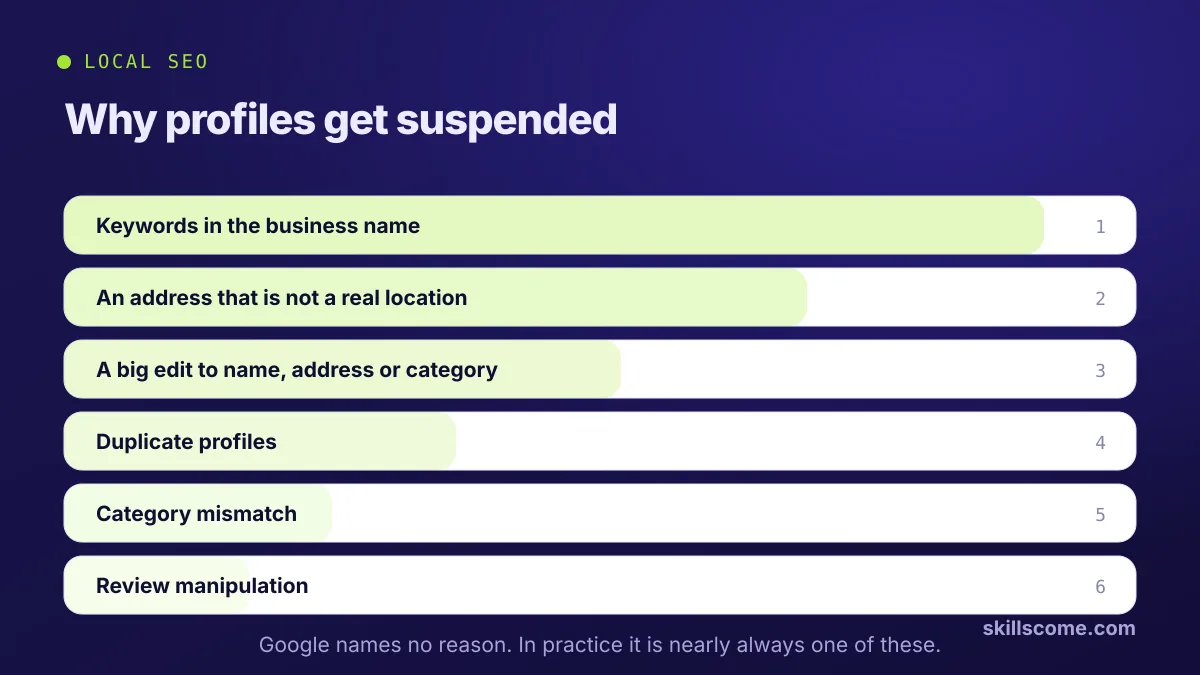
In rough order of how often they turn up:
- Keywords in the business name. The most common cause by a distance. The name on the profile must be the name on your sign, your invoices and your registration. Adding a service or a city is a violation even though competitors do it.
- An address that is not a real business location. Virtual offices, mailbox services, a coworking desk used only for the address, or a residential address on a profile set up as a storefront.
- Making a significant edit. Changing the name, address or category on an established profile frequently triggers a review. This catches honest businesses that genuinely moved.
- Duplicate profiles. Two listings for the same business, often one created years ago and forgotten.
- Category mismatch. A category that does not match what the business visibly does.
- A prohibited or restricted category. Some sectors face much tighter rules.
- Review manipulation. A burst of reviews, obviously incentivised reviews, or reviews from accounts with a clear pattern.
- A competitor report. It happens, particularly in competitive trades. The report still has to point at a real violation to stick.
Before anything else
Take screenshots of the profile as it was. Name, address, categories, services, hours, photos. You will need them for the appeal and you cannot get them back once it is gone.
Working out which one applies
- Read the name out loud. Is it exactly the legal and signage name, with nothing added? If not, you have found it.
- Look at the address on a map. Would a stranger standing there see evidence of your business? If not, that is probably it.
- Think about the last thirty days. Did you change the name, address or primary category, or add a lot of reviews quickly?
- Search your business name in maps. Any duplicates from an old listing or a previous owner?
- Check the category against what you actually, visibly do.
How to appeal
Fix the violation first. An appeal submitted while the problem is still live gets rejected, and repeated rejections make the next one harder.
- Correct the issue. Change the name back, fix the address, remove the duplicate.
- Gather evidence. Business registration, a utility bill at the address, photos of signage and branded vehicles, invoices with the name on, a photo of the premises from the street.
- Submit the reinstatement form from the notification or through Business Profile support.
- Write it plainly. What the business is, where it operates from, what you believe triggered the review, and what you changed. Do not argue, do not mention competitors, do not write at length.
- Attach the evidence as clear images. Photos of the actual premises do more than documents.
- Wait. A few days to a few weeks. Submitting again mid review restarts the clock rather than speeding it up.
If the appeal fails
A rejection usually means the violation is still present, or the evidence did not show what Google needed.
- Look again at the address. It is the cause in most second rejections.
- Add stronger evidence. A photo of permanent exterior signage with the street visible is worth more than any document.
- Try the community forum. Google's Business Profile forum has product experts who escalate genuine cases, and they are free.
- Do not create a new profile. It will be caught, and now you have a duplicate problem on top of a suspension.
Staying out of it
- Use your real business name, with nothing bolted on
- Use a real location, and run a service area profile if you have no public premises. Setting one up without an address covers how
- Make big edits one at a time, with gaps between them
- Let reviews arrive naturally
- Keep the profile active, with posts, photos and answered questions. The fields nobody fills in lists what to keep up
Managing this properly is part of our Google Business Profile work, including the reinstatements, which are more common than most owners expect.

Ijaz ul Haq
Founder of SkillsCome. Doing SEO since 2021, with 500+ SEO projects delivered and Top Rated status on Fiverr and Upwork. Runs and ranks his own stores in English, Spanish and Turkish.